How Clipster Calculates Earnings From Video Views: Complete Guide.
November 6, 2026
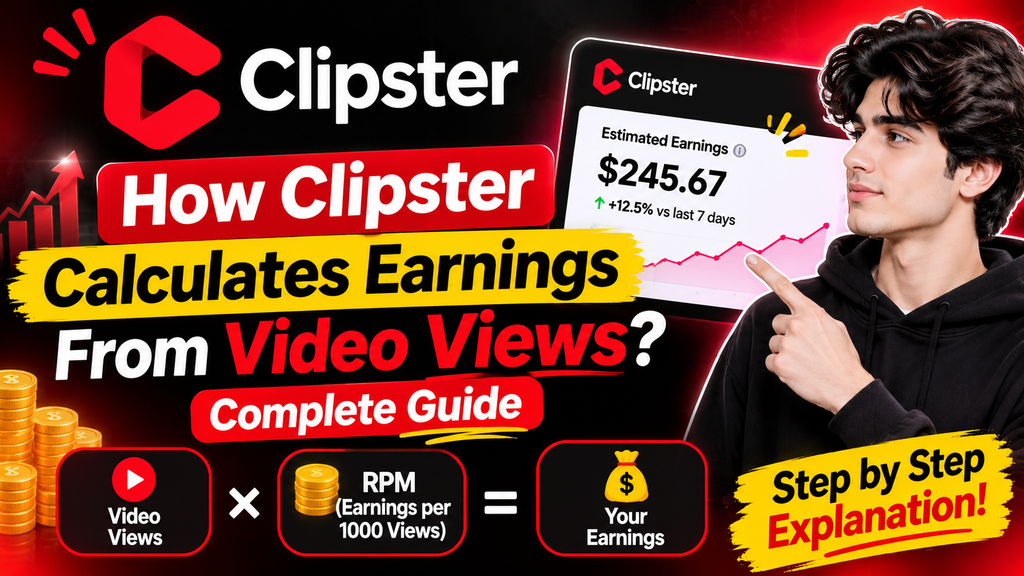
Getting thousands of views on a short‑form video can feel like a win especially when you are making content for paid campaigns.. A high view count does not always mean you will get a big payment. On Clipster your earnings depend on more than the number shown on TikTok, Instagram or YouTube.
Clipster links brands with creators through campaigns. Each campaign has its payment rate, eligibility rules and earning limits. Therefore two videos that have public view counts may earn different amounts.
If you are wondering how Clipster calculates earnings from video views it is important to understand the difference between views and eligible views how campaign rates work and which conditions can affect your final payment.
In this guide I will explain the Clipster earnings calculation process give examples and discuss common reasons why some views may not produce money.
How Does Clipster Calculate Earnings?
Clipster follows the payment structure set by each campaign. Some campaigns calculate payments based on video views while others offer a fixed amount for each approved post. Some opportunities combine a base payment with view‑based earnings.
This means there is no payment rate that applies to every creator or campaign.
For example imagine two creators in campaigns. One campaign pays based on views while another pays a fixed amount for each approved video. Even if both creators get the number of views their earnings may differ.
To understand your income look at these campaign details:
- Payment rate;
- Eligible views;
- Minimum views needed for earnings;
- Payment type;
- Maximum earnings per post;
- Maximum earnings per profile;
- Campaign budget and duration.
These details determine how much a video can earn.
What Are Views on Clipster?
One of the most important terms to understand is “eligible views.”
Your social media platform may show the total number of views a video received. However Clipster does not treat every view as eligible for payment.
Eligible views are the views that meet the campaign conditions and are counted for earnings.
For example imagine your TikTok video gets 100,000 views. This does not automatically mean all 100,000 views will count for your Clipster earnings.
The number of views may depend on factors such as:
- Whether the video was submitted correctly;
- Whether the campaign was active;
- Whether the views happened during the eligible tracking period;
- Whether the video followed the campaign requirements;
- Whether the views meet the platforms eligibility rules.
This is why creators should focus on the view count shown by Clipster instead of only on public social media statistics.
Public Views vs Eligible Views
The difference between these two numbers can matter when you estimate your income.
| Public views | Eligible views | What it means |
|—:|—:|—|
| 10,000 | 8,000 | Some public views are not counted as eligible |
| 50,000 | 40,000 | The eligible total is lower than the total |
100,000 | 75,000 | Only the eligible portion contributes to view‑based earnings |
| 250,000 | 200,000 | Payment calculations use views, not simply public views |
These numbers are just examples, not real Clipster results. They show why your public view count and Clipsters eligible view count may differ.
How Does the Clipster View-Based Payment Calculation Work?
When a campaign pays based on video views the campaign rate is used to estimate earnings.
Some campaigns show their rate per one million views. In that case you can use a calculation to see the potential payment.
Basic formula:
earnings = Eligible views ÷ 1,000,000 × Campaign rate per 1 million views
For example imagine a campaign that offers $500 for one million eligible views.
If your video gets 100,000 views the calculation is:
100,000 ÷ 1,000,000 × $500 = $50.
This means the estimated earnings are $50, before any campaign limits or final review conditions.
Remember that this example is purely mathematical; it does not guarantee any Clipster payment rate.
Example: Estimated Earnings at View Counts
To make the math easier think about a hypothetical Clipster campaign that pays $500 for every one million eligible views.
| Eligible video views Estimated earnings |
|—:|—:|
| 10,000 | $5 |
| 25,000 | $12.50 |
| 50,000 | $25 |
| 100,000 | $50 |
| 250,000 | $125 |
| 500,000 | $250 |
| 750,000 | $375 |
| 1,000,000 | $500 |
This table shows how eligible views can change the estimated earnings when a Clipster campaign uses a view‑based payment model.
However actual Clipster campaign rates may differ. Always use the payment rate shown on the Clipster campaign page when you estimate your earnings.
How Much Does Clipster Pay Per 1,000 Views?
Many creators look for an answer to the question: “How much does Clipster pay per 1,000 views?”
The answer depends on the Clipster campaign rate.
If a hypothetical Clipster campaign offers $500 for one million views you can calculate its equivalent rate for 1,000 eligible views:
$500 ÷ 1,000 = $0.50.
Under this example the Clipster campaign would pay an estimated $0.50 for every 1,000 views.
Here are some additional examples:
| Hypothetical rate per 1 million views Equivalent per 1,000 eligible views |
|—:|—:|
| $100 | $0.10 |
| $250 | $0.25 |
| $500 | $0.50
| $750 | $0.75 |
| $1,000 | $1.00 |
These figures show the link between Clipster campaign rates and eligible views; they should not be treated as official or fixed Clipster rates.
A Clipster campaign with a payment rate may offer higher earning potential but you should also consider its minimum requirements earning caps and content conditions before joining.
Do Views Start Counting After Publishing?
Not necessarily. Publishing a video on a social media account is only one part of the Clipster process.
According to the Clipster campaign guidance in the supplied material creators should submit their published video through the Clipster campaign within 24 hours.
The general process is:
- Select a Clipster campaign.
- Read the Clipster campaign requirements carefully.
3.. Publish the required Clipster video.
- Copy the link to the published Clipster post.
- Open the Clipster campaign on Clipster.
- Select “Submit Content”. Provide the Clipster video link.
- Monitor the Clipster submission through “My Activity.”
The supplied guidance also states that eligible views received after submission while the Clipster campaign is active normally count towards Clipster earnings.
This is why submitting a Clipster video promptly is important. Views received before submission should not automatically be assumed to qualify for Clipster payment.
Why Are My Clipster Views Not Generating Earnings?
One common concern among creators is receiving many Clipster views without seeing the Clipster earnings.
There are possible explanations.
1. Your Video Has Not Been Submitted
If you publish a Clipster video but do not submit its link through the relevant Clipster campaign its views may not be included in the Clipster campaigns earnings calculation.
Make sure you complete the Clipster submission process rather than assuming that connecting your social media account is enough.
2. You Are Checking Public Views of Eligible Views
TikTok, Instagram and YouTube display public video statistics. Clipster uses views, for Clipster campaigns that calculate earnings according to view performance.
These figures can be different so compare the statistics before estimating your Clipster payment.
3. The Campaign Has Ended
Clipster campaign activity matters when determining whether views qualify.
If a Clipster campaign is no longer active additional views should not automatically be expected to generate Clipster earnings. Review the Clipster campaigns conditions to understand its tracking period.
4. Your Video Does Not Meet Campaign Requirements
A Clipster video may receive views but still fail to qualify if it does not follow the Clipster campaign instructions.
For example a Clipster campaign may require a sound, logo, video format or source material. Missing one of these conditions can affect the Clipster submissions eligibility.
5. Your Statistics Have Not Updated Yet
View statistics are not necessarily displayed in time.
A delay in the dashboard does not automatically indicate a rejected submission. Check your activity again after the platform has had time to refresh the information.
6. You Have Reached an Earning Limit
Some campaigns include payment limits. Even if your video continues receiving views your earnings may not increase beyond the applicable cap.
Understanding these conditions can help explain why your estimated income differs from the amount shown in your Clipster balance.
How Do Campaign Earning Caps Affect Your Income?
Campaign earning limits are another part of the Clipster payment calculation.
A campaign may have two types of limits:
Cap per Post: This determines the amount a single video can earn.
Cap per Profile: This determines the amount one creator can earn from a campaign across all submitted posts.
For example imagine a campaign with a $100 cap per post. If the calculated earnings for a video reach $100 that video cannot earn more than the cap under this example.
Similarly a profile‑level cap may restrict the amount a creator can earn across multiple videos in the same campaign.
This is why creators should not focus on the displayed payment rate. Check the campaigns earning limits before deciding whether the opportunity is suitable.
Does Clipster Offer Fixed Payments or View‑Based Earnings?
No, view‑based payments are not the only possible payment structure.
The campaigns payment model determines how your earnings are calculated.
1. Payment Based on Eligible Views
In this model earnings are calculated according to the number of views and the campaigns payment rate.
A video with eligible views may generate higher estimated earnings provided it remains within the campaigns limits.
2. Fixed Payment Per Approved Post
Some campaigns offer a payment for every approved video.
For example a hypothetical campaign may offer $20 per approved post. In this case the payment depends on the campaigns approval conditions than a direct calculation using the number of views.
3. Base Payment Plus Views
Some opportunities combine a guaranteed amount for an approved post with earnings based on eligible views.
This payment structure can provide creators with than one potential source of earnings within the same campaign.
Before submitting content check which payment model applies. The campaign page is the important place to find its specific terms.
How to Track Your Clipster Earnings
After submitting your video you should regularly monitor its progress through the Clipster dashboard.
Open “My Activity” to review your submissions and available performance information.
Pay attention to the following details:
- Submission status;
- Available view statistics;
- view count;
- Campaign progress;
- Approved earnings;
- Any displayed earning limits.
If your figures have not changed immediately allow time for statistics to refresh.
It is also useful to keep a record of your video links, submission dates, campaign names and performance. This can make it easier to compare campaigns and understand which content formats work best for your audience.
Practical Tips to Improve Your Clipster Earnings
Although no creator can guarantee a number of views a more organised approach can improve the quality of your campaign participation.
1. Select Campaigns Carefully
Choose campaigns that match your content category and connected social media account.
A relevant campaign makes it easier to create content that follows the brands expectations.
2. Understand the Payment Rate Before Joining
Do not select a campaign simply because its payment rate looks attractive.
Check its views, content requirements, payment model and earning caps. These details provide a picture of its actual earning potential.
3. Submit Videos Within the Required Time
Follow the campaigns submission deadline. The supplied guidance specifies a 24‑hour submission window so avoid waiting until the moment.
4. Focus, on Genuine Engagement
Create videos that give something to viewers. Avoid views, bots or manipulation of engagement; these practices can put your submissions and your account at risk for Clipster.
5. Keep Your Videos Accessible
Follow the Clipster campaigns visibility requirements and do not delete or make posts private without checking the applicable rules.
6. Compare Your Campaign Results
Review your views and your earnings across different Clipster campaigns. This can help you understand which content styles and opportunities are worth considering in the future.
Frequently Asked Questions
1. How does Clipster calculate earnings from video views?
For view-based Clipster campaigns the calculation depends on views and the Clipster campaigns payment rate. Other Clipster campaigns may offer fixed payments or a combination of base payments and view-based earnings.
2. Does Clipster pay for every view?
No. Public views and eligible views are not necessarily the same. Only views that meet the Clipster campaign conditions contribute to view-based earnings.
3. How much does Clipster pay for 1,000 views?
There is no fixed rate for all Clipster campaigns. Your estimated payment depends on the Clipster campaigns rate per view.
4. Do views received before submitting a video count?
According to the supplied Clipster campaign guidance eligible views received after submission while the Clipster campaign is active normally count towards earnings. Do not assume that earlier views qualify.
5. Why are my Clipster earnings lower than expected?
Possible reasons include differences between eligible views Clipster campaign requirements, submission timing, payment limits or statistics that have not updated yet.
6. Can I earn more by uploading videos?
Some Clipster campaigns allow submissions but they may have submission limits and profile-level earning caps. Check the Clipster campaign rules before uploading content.
7. Does a video with one million views guarantee a payment?
No. A high public view count does not guarantee Clipster earnings. The video must meet the Clipster campaigns eligibility and approval requirements.
8. Where can I check my views?
You can review submission and performance information through the “My Activity” section of your Clipster dashboard.
9. Are all Clipster campaigns based on views?
No. Some Clipster campaigns may offer fixed payments per approved post while others use view-based calculations or a combination of payment structures.
10. Can campaign earning limits reduce my payment?
Yes. A Clipster campaign may include a Cap per Post or Cap per Profile. These limits can restrict the amount a video or creator can earn.
Final Thoughts
Understanding how Clipster calculates earnings from video views can help creators make decisions when selecting and participating in Clipster campaigns.
The important thing to remember is that public views do not automatically equal paid views. Your earnings depend on views the Clipster campaigns payment rate, submission requirements, approval conditions and applicable earning limits.
Before joining a Clipster campaign review its payment structure carefully. Submit your video correctly monitor its performance through “My Activity ” and use the view count when estimating potential earnings.
Clipster offers earning opportunities but each Clipster campaign works according to its own terms. Than focusing only on large view counts concentrate on creating suitable content and understanding how the payment calculation works.
With Clipster campaign planning and consistent attention to the requirements you can make more informed decisions about your creator activity, on Clipster.